Live gauges in CarPlay
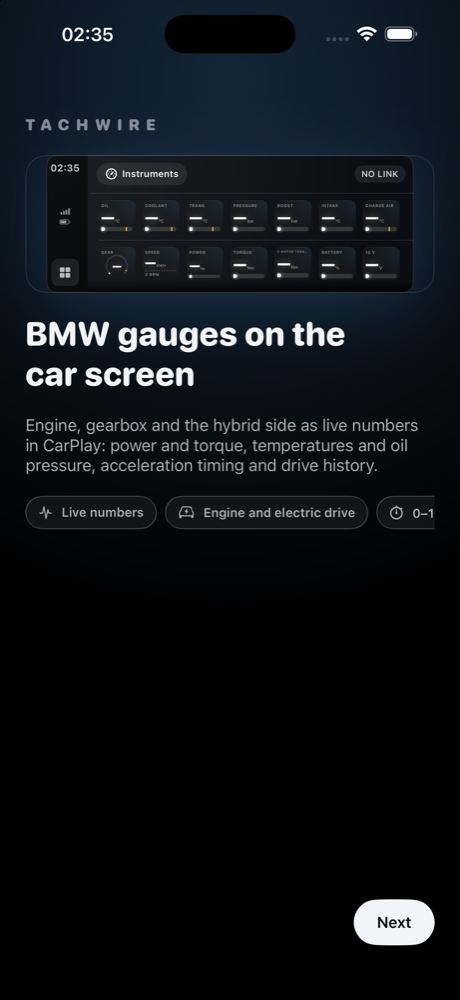
Power, torque, boost, oil and coolant temperatures, gear and shift light as tiles on the car’s display. Tiles update twice a second; the engine is polled twelve times a second.
 TACHWIRE
Early access · TestFlight
Tachwire turns your iPhone and CarPlay into a live gauge cluster: engine and hybrid power, torque, oil and coolant temperatures, oil pressure, boost, gear, 0–100 timing and lap times. Every drive is saved with its route, trends and personal records.
Free. Nothing leaves your phone: drive logs stay on the device until you decide to share one.
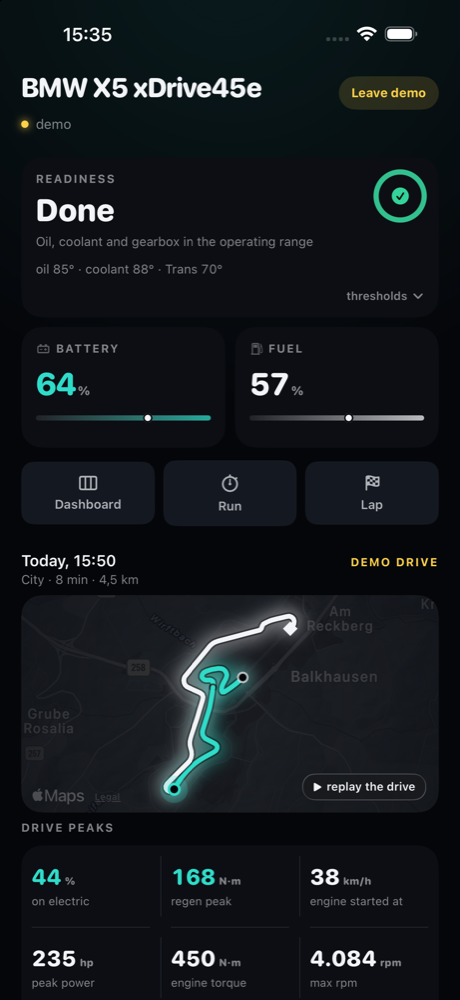
Power, torque, boost, oil and coolant temperatures, gear and shift light as tiles on the car’s display. Tiles update twice a second; the engine is polled twelve times a second.
On a plug-in hybrid you see who is pulling: engine, electric motor or both, battery current, regeneration and the electric share of every drive.
Runs are timed on the car’s speed signal, twelve samples a second. GPS corrects its scale, the phone’s accelerometer fills the gaps, and threshold crossings are interpolated. A run that started inside a data gap is marked uncertain instead of quietly becoming a record.
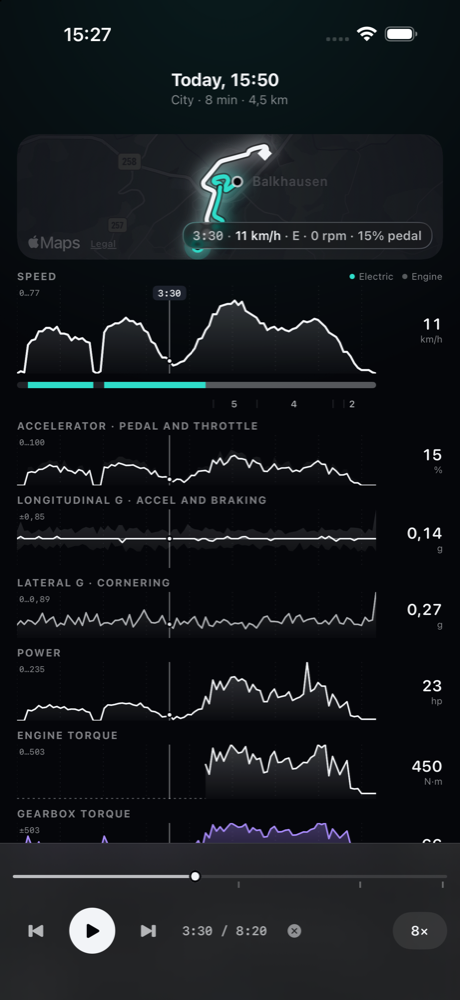
Route on the map, speed, pedal, g-forces, power and torque lanes with a cursor you drag across. Moments like engine start or peak power are one tap away.
Minutes to warm oil, temperatures by minute, and a READY state that tells you when the car is actually ready for a hard pull.
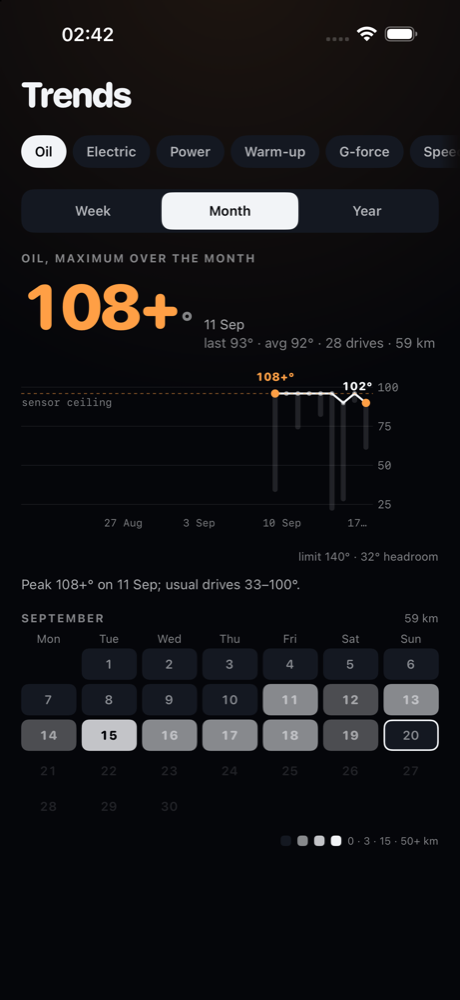
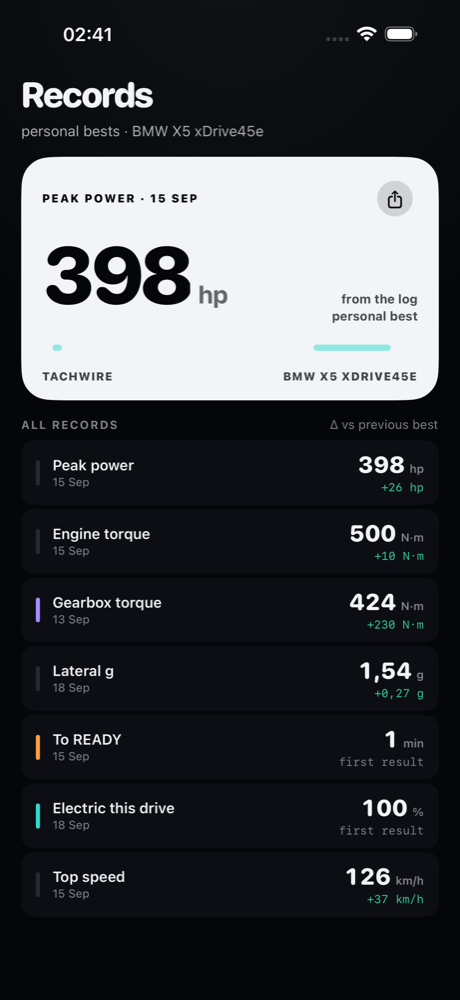
Oil peaks, electric share, power, warm-up and top speed over a week, a month or a year. Personal bests with a card you can share.
2018 or newer. Verified on the X5 xDrive45e plug-in hybrid. Other G-series petrol, diesel and hybrid models are in the catalogue and identified from the VIN, but not yet verified on a real car.
OBDLink CX is verified and fastest. vLinker BM+, MC+ and other ELM327-compatible BLE adapters are expected to work with fewer updates per second. Classic Bluetooth and Wi-Fi adapters do not connect to an iPhone.
For the screens in the car. The phone app works on its own. No car nearby? Choose “Simulator” on the first launch and explore every screen on generated data.
Tachwire is new and has been tested on one car so far. On cars we have not seen, some readings may be missing or wrong. That is what the beta is for.
The app never sends anything anywhere. Drive logs are written to your phone and stay there. If you want to help, share one drive log by hand from Settings → Help the project: it shows what your car answered and what it did not, and that is how new models get supported.
Tachwire is an independent project and is not affiliated with or endorsed by BMW AG. BMW and CarPlay are trademarks of their owners.